

If you’ve spent any time comparing security cameras, you already know the specs sheets don’t tell you the real story. Every brand claims to have smart AI detection, every app looks polished in the screenshots, and every product page buries the actual monthly cost somewhere near the bottom. So we did the digging most people don’t have time for.
We compared Wyze, Ring, and Arlo across three things that actually determine whether you’ll be happy with a camera a year from now: what it costs you long term, where your footage actually goes, and how well the app and ecosystem hold up once you’re using it every day. We pulled pricing and plan details straight from each brand’s official website, watched real setup and review videos to see how the apps behave outside of marketing screenshots, and checked user discussions on Reddit for the complaints that never make it into a spec sheet.
Here’s the short version before we get into why: Wyze comes out ahead if long term cost and privacy matter most to you, since it’s the only one of the three that gives you real local storage and working AI detection without a subscription. Ring wins if you’re already living inside the Amazon smart home ecosystem and don’t mind paying for it. Arlo lands in the middle, with a polished app but the least flexibility if you want to avoid a monthly bill.
Best Wyze vs. Ring vs. Arlo Comparison
Before we get into the details, here’s how the three brands stack up on the numbers that matter most: storage, monthly cost, and whether AI detection actually works without paying for it.
| Brand | Free Local Storage | Cheapest Plan | AI Alerts Without Paying |
|---|---|---|---|
| Wyze | Yes, microSD | $2.99/mo | Yes, included free |
| Ring | No | $5.99/mo | No, subscription required |
| Arlo | Limited, needs SmartHub | $7.99/mo | No, subscription required |
The pattern here is pretty clear once you see it laid out. Wyze is the only brand that lets you skip a subscription and still get a fully working camera with smart alerts. Ring and Arlo both expect you to pay something before the camera does anything beyond streaming live video. The rest of this guide breaks down why that gap exists and what it actually means for you day to day.
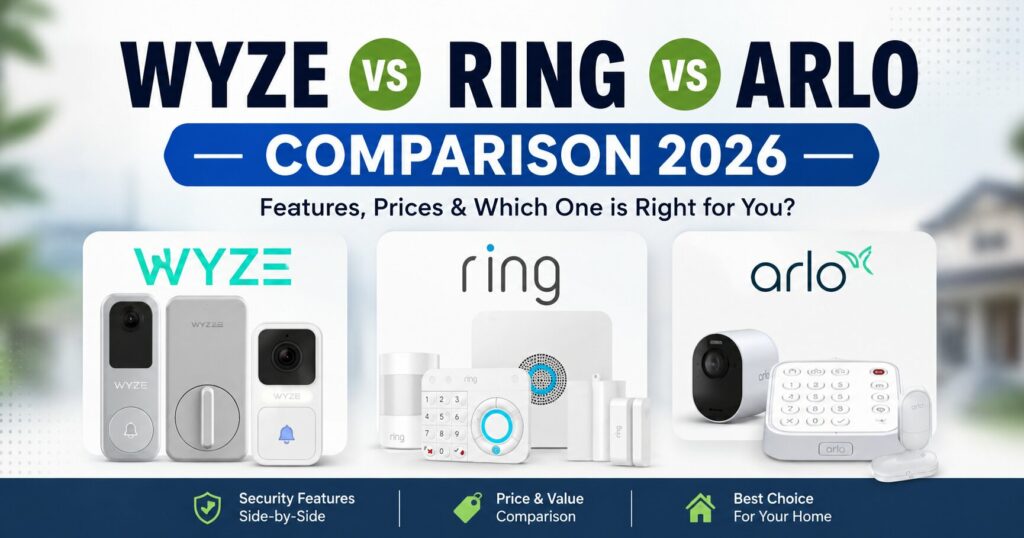
Wyze vs. Ring vs. Arlo Long-Term Cost: Who Actually Saves You Money?
The price on the box is never the real price. What you pay in the first year versus what you pay every year after is what actually decides whether a camera was a good deal. Here’s how the three brands compare once you look past the initial purchase.
Wyze
Wyze cameras record free 12-second cloud clips with a 14-day history, and they also support local recording to a microSD card at no cost at all. The optional Cam Plus plan, at $2.99 a month per camera, adds longer clips and extra detection features, but you’re not locked out of a working camera if you skip it. That’s the part most competitors don’t offer.
Ring
Ring recently raised its Protect Basic plan to $5.99 a month, and without it, a Ring camera is basically a live-view screen. No stored footage, no smart alerts, nothing to look back on after something happens. There’s no local storage option on standard Ring cameras either, so the subscription isn’t really a choice if you want the camera to do its job.
Arlo
Arlo sits closer to Ring than to Wyze here. Most current Arlo cameras won’t save anything to the cloud without a Secure Plus subscription, which runs $7.99 a month for one camera or $17.99 for unlimited cameras. You can add local storage through a SmartHub, but doing so means giving up AI detection. With Arlo you’re choosing between local and basic, or cloud and smart. You don’t get both like you do with Wyze.
Wyze vs. Ring vs. Arlo: Data Privacy, Where Does Your Footage Actually Go?
A camera watching your home is only as trustworthy as the company storing what it records. Some brands let you keep everything on your own hardware. Others send every clip straight to their servers by default. Here’s where each one actually stands.
Wyze
Wyze is the only brand here where you can run everything locally and skip the cloud completely if that matters to you. Your footage stays on a card in your own home rather than sitting on someone else’s server.
Ring
Ring has no local-only mode. Every bit of footage runs through Amazon’s servers by design, even for the most basic recording function. If keeping your video off a third-party server is important to you, Ring simply isn’t built for that.
Arlo
Arlo’s SmartHub lets you keep some footage local, but you lose the AI features in the process. So the more private option is also the less capable one, which isn’t much of a real choice for most people.
Wyze vs. Ring vs. Arlo: Smart Ecosystem, Which App Actually Works Well?
A camera is only as good as the app you check it through every day. Some brands build a whole smart home experience around their cameras. Others keep things simple and functional. Here’s how the app and ecosystem experience actually compares.
Wyze
The Wyze app does what it needs to do without much fuss. It’s not as polished as Ring’s, and it doesn’t reach as deep into third-party integrations, but for the price, it holds up fine day to day.
Ring
Ring has the tightest integration with Alexa and the rest of Amazon’s smart home lineup. Arming, disarming, voice alerts, and automations all feel like they were built together rather than bolted on afterward, which they were.
Arlo
Arlo works well with both Google Assistant and Alexa, and the app itself feels clean and modern, especially once you’re paying for Secure Plus and everything is unlocked.
Wyze vs. Ring vs. Arlo: Where Each Brand Falls Short
No camera brand gets everything right, and it’s worth knowing the weak spots before you commit to one. Here’s what to watch out for with each.
Wyze
Wyze had a real security incident in 2022 where camera thumbnails were exposed for roughly 13,000 users because of a misconfigured database. It was fixed, but it’s fair to mention if you’re placing a camera somewhere sensitive.
Ring
Ring’s core weakness is that the subscription isn’t optional in any meaningful sense, and the price keeps climbing. What used to be a genuinely budget-friendly option doesn’t feel that way anymore.
Arlo
Arlo forces a tradeoff that Wyze simply doesn’t. You either pay, or you give up the smart features that made you consider an AI camera in the first place.
Wyze vs. Ring vs. Arlo, Which One Should You Actually Buy?
If you want a camera that works well without a subscription and don’t want your footage sitting on a stranger’s server, Wyze is the strongest pick of the three. If you’re already committed to Amazon’s ecosystem and the monthly cost doesn’t bother you, Ring will feel the most seamless. Arlo is worth considering if you want a genuinely well-built app and don’t mind paying for the full experience, but going into it thinking you’ll get away without a subscription isn’t realistic.
Frequently Asked Questions About Wyze vs. Ring vs. Arlo
Does Wyze really work without a subscription?
Yes. Wyze cameras include free 12-second cloud clips with a 14-day history, and they support local recording to a microSD card at no cost. Basic AI detection for people, pets, and packages is included free as well. The paid Cam Plus plan adds longer clips and extra features, but it’s not required for the camera to function.
Can I use a Ring camera without paying for Ring Protect?
You can, but it’s limited to live viewing only. Without a subscription, Ring cameras don’t record footage, store clips, or send smart alerts. For most people, a Ring camera without a plan isn’t really doing the job of a security camera.
Does Arlo have a way to avoid the subscription entirely?
Partially. Some Arlo cameras support local storage through a SmartHub, but you lose AI detection features when you go that route. There’s no way to get both local storage and full smart alerts on Arlo without paying for Secure Plus.
Which brand is the most private?
Wyze, since it’s the only one of the three that can run fully on local storage without ever sending footage to the cloud, if you choose that setup.
Which brand has the best app?
Ring has the most polished and deeply integrated app, especially if you’re already using Alexa and other Amazon smart home devices. Arlo is close behind. Wyze’s app is simpler but still gets the job done.
Is Wyze safe to use after its 2022 data breach?
The 2022 breach exposed camera thumbnails for a limited number of users due to a misconfigured database, and Wyze patched the issue. It’s worth knowing about, but it hasn’t stopped Wyze from remaining one of the most recommended budget camera brands since.
Want more picks that skip the subscription entirely? Check out our Best Wireless AI Security Cameras Under $50 guide, or read more on when you actually need a subscription for AI camera alerts.